
When it comes to WordPress web hosting, I recommend WP Engine as one of the top choices for anyone who wants to grow a website.
In this detailed and honest WP Engine review, I cover everything you need to know, including pros and cons, pricing, alternatives, and real user testimonials, so you can confidently choose the best hosting for your site.
My Honest Review Of WP Engine 2026
After testing many hosting providers, WP Engine stands out as a strong managed WordPress hosting option for performance, security, and reliability.
It works well for bloggers, business websites, and growing eCommerce stores by simplifying website management.
WP Engine includes automatic backups, global CDN, SSL certificates, one-click staging, developer tools, premium themes, and eCommerce features, helping you manage WordPress sites without handling complex technical tasks.
What Are The Pros And Cons Of WP Engine?
Here’s a closer look at WP Engine’s main advantages and drawbacks to help you decide whether its managed WordPress hosting is right for your website.
| Pros of WP Engine | Cons of WP Engine |
|---|---|
| Fast website performance: EverCache® technology and a global CDN with 250+ edge locations help pages load quickly. WP Engine also offers a 99.9% uptime commitment. | Higher pricing: WP Engine costs more than traditional shared hosting, with annual plans starting at $25/month. |
| Advanced security: Malware scans, DDoS protection, firewall security, and managed WordPress updates help protect your website. | Storage and visitor limits: Plans come with set storage and monthly visitor allowances. Growing websites may need a higher-tier plan. |
| Free SSL certificates: Every hosting plan includes an SSL certificate to secure website connections and enable HTTPS. | No email hosting: You need a separate provider to create and manage business email accounts. |
| Automatic backups and updates: Daily backups and managed updates reduce routine maintenance and make website restoration easier. | No free domain: Domain registration is a separate expense. |
| 24/7 WordPress support: Get assistance from WordPress specialists through live chat. Phone support is available on eligible plans. | WordPress-only platform: WP Engine supports WordPress websites, so you cannot use it to host sites built on other platforms. |
| Developer-friendly tools: SSH access, Git integration, and staging environments make website development, testing, and maintenance easier. | |
| Global CDN: A built-in content delivery network helps serve website content quickly to visitors worldwide. | |
| Premium themes and website builder: StudioPress themes and a drag-and-drop builder help you create professional-looking websites. | |
| WooCommerce support: Store-focused features, including one-click store creation, unlimited products, and live cart functionality, support online businesses. |
Overall, WP Engine is a strong choice for website owners who prioritize speed, security, and managed WordPress hosting.
Its higher prices may put off users with smaller budgets, but growing businesses, agencies, and eCommerce stores can benefit from its performance tools, developer features, and expert support.
What Makes WP Engine Stand Out?
Since its founding in 2010, WP Engine has grown into a top managed WordPress hosting provider, serving over 1.5 million users in 150+ countries.

It helps website owners build, manage, and scale high-performing WordPress sites without handling technical tasks.
WP Engine delivers speed, security, and reliable support through a range of features:
- Blazing-fast performance: WP Engine uses built-in caching, Global CDN, and EverCache® technology to make websites load quickly.
- Advanced security: It runs daily malware scans, protects against DDoS attacks, and automatically updates WordPress to keep sites safe.
- Expert 24/7 support: WordPress specialists assist via chat and phone whenever needed.
- Developer-friendly tools: Staging environments, SSH access, and Git integration let developers work efficiently.
- E-commerce-ready hosting: WP Engine optimises WooCommerce stores, allows one-click store setup, and supports unlimited products.
WP Engine powers sites from small blogs to enterprise-level eCommerce stores, making it a trusted choice for businesses and developers who want fast, secure, and scalable WordPress hosting.
What Pricing Options Does WP Engine Offer?
WP Engine currently offers Essential, Core, and Enterprise hosting plans, with options for websites ranging from smaller WordPress projects to high-traffic business sites.

Here are the current WP Engine plans and pricing.
| WP Engine Plan | Starting Price | Best For |
|---|---|---|
| Essential | $35/month | Blogs, small businesses, and individual WordPress sites |
| Core | $400/month | Growing businesses and higher-traffic websites |
| Enterprise | Custom pricing | Large businesses with complex hosting requirements |
All WP Engine plans include managed WordPress tools, while the exact resources and features vary by plan. Depending on your selected option, you can get:
- SSL certificates for secure website connections
- Automatic backups and restore points
- WordPress migration tools for moving an existing site
- Staging and development environments for testing changes
- EverCache® technology for website performance
- Global CDN for faster content delivery
- Security and site management tools
The Essential plan covers the needs of smaller WordPress websites, while Core provides more capacity and support for growing businesses.
Enterprise offers a customized setup for organizations with larger-scale hosting requirements.aches, making it a top choice for WordPress users of all sizes.
You can also use a 60% off WP Engine coupon code to reduce your hosting cost on eligible plans.
Click the button to activate your offer now.
What Are The Features Of WP Engine?
Below, I have shared the WP Engine features I like most from my personal experience using the platform.
User interface
When I signed up for WP Engine, I expected a typical hosting dashboard with a more complex setup. Instead, the interface felt cleaner and easier to navigate.
Most tools and settings are organized in the left sidebar, making features easy to find and access. You can move between site management, performance, and hosting tools without digging through menus.
The dashboard keeps the layout simple, making it beginner-friendly while still offering enough control for experienced users.
In this category, I rate it ⭐⭐⭐⭐⭐5/5.
WordPress Ecosystem Management
As we know, WP Engine is for WordPress users; here are some key features for us.
The platform supports automatic updates for WordPress core, themes, and plugins, ensuring your site stays up-to-date with the latest features and security patches.
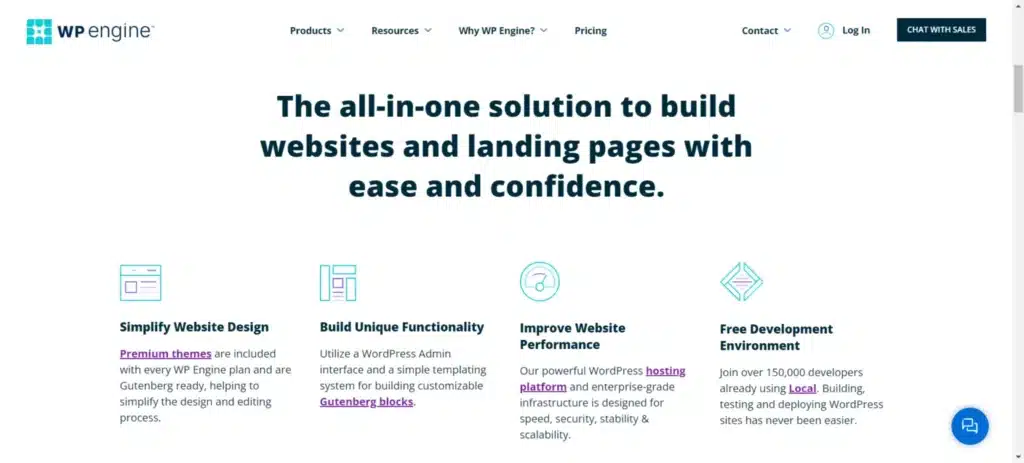
Additionally, WP Engine offers one-click staging environments, allowing you to test changes before pushing them live, which is invaluable for maintaining site stability and performance.
It also has a built-in drag-and-drop website builder, especially designed to work in the WordPress workplace, with around 10 WordPress themes from StudioPress to work on and build on to create stunning websites.
You also have a local developers hub to add in custom code if you have experience with the #1 WordPress local development tool.
Overall, I will rate it as ⭐⭐⭐⭐⭐5/5.
WooCommerce Features
Here is a list of WooCommerce-specific features for you:

- Smart Caching with EverCache for optimised caching for WooCommerce to ensure fast load times, even during peak traffic.
- Live Cart Functionality ensures the shopping cart is always up-to-date without requiring page reloads.
- Stripe Integration for secure payment processing.
- 1 click store creations
- Automated updates and backups to keep your data safe and sound.
Again, I had no complaints in this category, and I would give it a⭐⭐⭐⭐4/5 only because it has no email integration.
Speed Tests and Performance
Now, how do you know that WP Engine can be trusted to deliver good performance for your websites? Here are some details.
The platform has an overall performance grade of A for speed tests with both lightweight and multipurpose themes.
Performance
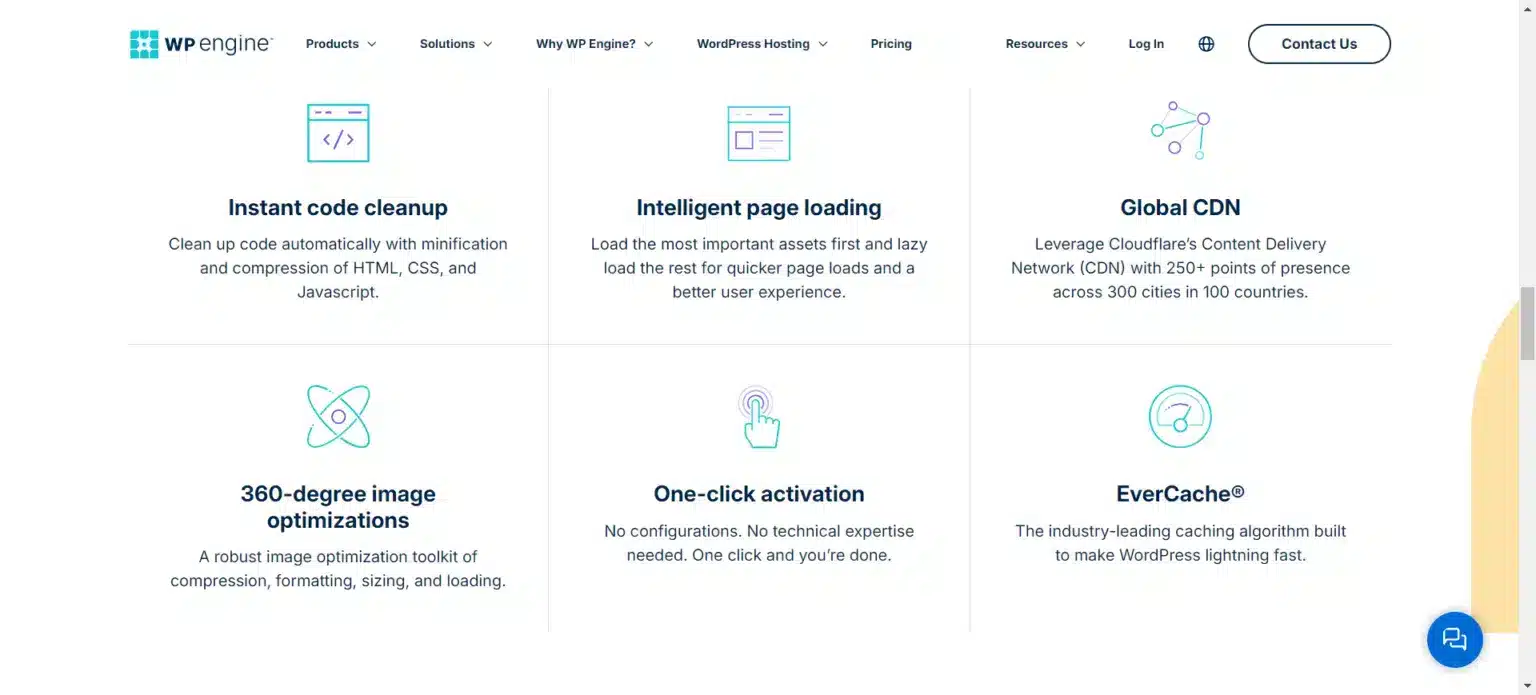
WP Engine delivered fast loading performance throughout testing and backs its service with a 99.9% uptime guarantee, making it a strong option for website reliability.
The platform supports a global infrastructure with 250+ data center locations, helping websites deliver consistent performance across different regions.
Features like lazy loading for images and videos, optimized code delivery, and EverCache technology improve speed and reduce server load. During use, website performance stayed stable and responsive with no major issues.
I rate it ⭐⭐⭐⭐⭐5/5.
Security Features
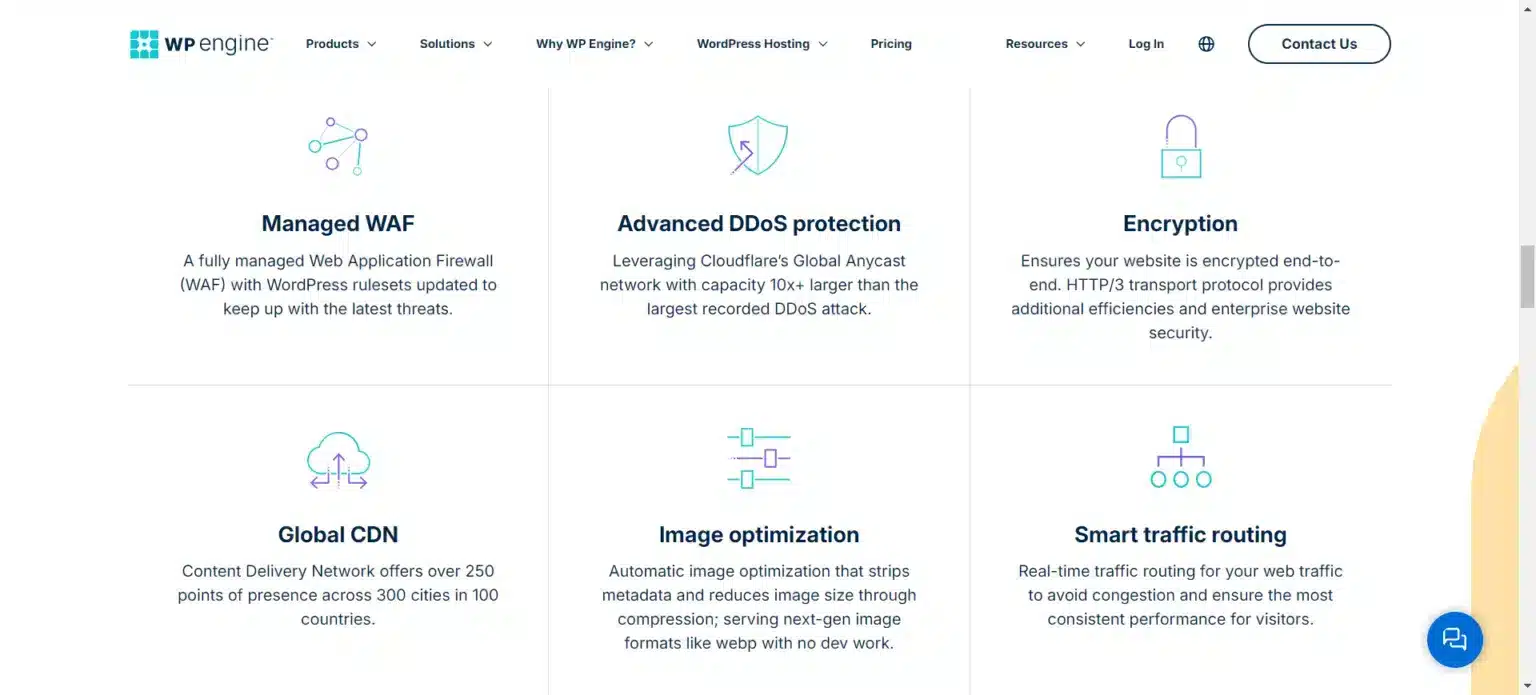
WP Engine includes multiple security features to help protect your website:
- Daily malware scans to detect malware and security risks automatically.
- DDoS protection to reduce the impact of traffic-based attacks.
- Managed Web Application Firewall (WAF) to block suspicious and malicious traffic.
- Automatic daily backups with the option to create manual backups when needed.
- Free SSL certificates to secure website data and encrypt transactions.
All security tools are available directly from the dashboard, and WP Engine sends email alerts when it detects unusual activity or potential threats. If you’re comparing different security features or services side by side, you can use a compare two lists online tool to quickly spot similarities and differences.
This setup provides strong protection for business websites and WooCommerce stores without requiring constant manual monitoring.
Customer support
Being an experienced user of multiple platforms to host websites, one of the main reasons I switched to WP Engine in the first place is that it has a 96% customer satisfaction score.

WP Engine provides a detailed knowledge base and help resources, covering setup guides, account management, and common troubleshooting topics for new users.
All plans include live chat support, while higher-tier plans also offer priority phone support for faster assistance.
Overall, WP Engine delivers responsive support, helpful documentation, and reliable assistance when technical issues arise.
WP Engine Review 2026: What Users Are Saying?
After reviewing reviews on Reddit and Trustpilot, here is what people are saying about WP Engine.
⭐⭐⭐⭐⭐ “WPEngine’s hosting hardware isn’t any better. It’s arguably just cheap shared hosting with extra services tacked on. But the workflow is pretty great for my use case. A managed server with automated backups, updates, deployment, staging, PHP upgrades, etc… is what you’re paying for.” – Luke-At-Work
Source: Reddit
⭐⭐⭐⭐⭐ “WP Engine’s service is far and above the best in the business. They always have a solution. I also want to call out one particular support rep named SHAH P. I seem to get Shah a lot, and this guy is truly amazing! Great job WP Engine for hiring Shah, and for always fixing my issues.” – Dave S
Source: Trustpilot
⭐⭐⭐⭐⭐ “I’ve been using WP Engine for several years. I’m very happy with the service. They automatically make backup and restore points, and their restore feature has been a life saver when I’ve done something stupid. They are fast and reliable, and they make it easy to do important things, like the ability to add free SSL certificates and auto renew them.” – jonhenshaw
Source: Reddit
How Does WP Engine Compare With Competitors?
Here’s how WP Engine stands out against its competitors in terms of price, performance, and features.
| Feature | WP Engine | Hostinger | Bluehost | SiteGround |
|---|---|---|---|---|
| Starting price | $25/month | $2.32/month | $1.99/month | $2.99/month |
| Hosting type | Managed WordPress | Shared / WordPress | Shared / WordPress | Shared / WordPress |
| Best for | Businesses, agencies, developers | Small sites, low budgets | Beginners | Growing WordPress sites |
| Average speed | 400-600 ms | 600-900 ms | 800-1200 ms | 500-700 ms |
| Uptime | 99.99% | 99.9% | 99.9% | 99.99% |
| Data centers | Global (Google Cloud, AWS) | 9 worldwide | Multiple locations | Global (Google Cloud) |
| Backups | Daily, up to 40 days | Weekly (daily on higher plans) | Daily on higher plans | Daily on all plans |
| Security | Advanced, free hack fix | Standard security tools | Basic security | Advanced security tools |
| Staging | Yes | Limited | Yes (higher plans) | Yes |
| Email hosting | No | Yes | Yes | Yes |
| Ease of use | Medium | Easy | Very easy | Easy |
| Support focus | WordPress-only experts | General support | Beginner-focused | WordPress-trained |
WP Engine leads in speed, security, and managed WordPress features, making it ideal for businesses and high-traffic sites, while Hostinger, Bluehost, and SiteGround offer more affordable options with good performance for beginners and small to growing websites.
Who Should Choose WP Engine?
WP Engine is a good fit for WordPress users who want managed hosting without handling most day-to-day technical tasks themselves.
It works well for WordPress blogs, business websites, agencies, and WooCommerce stores that need performance, security, backups, staging tools, and room to handle more traffic.
Since WP Engine does not include domain registration or email hosting, you will need to arrange these services separately.
If you are unsure whether it fits your website, the WP Engine trial alternative gives eligible new customers 60 days under its money-back guarantee to test the hosting before deciding whether to keep it.
Is WP Engine Worth It?
Yes, WP Engine is worth it if you want a reliable and premium WordPress hosting setup.
- WP Engine delivers 99.99% uptime on average, which keeps sites live and stable.
- Pages often load in under 600 ms thanks to built-in caching and a global CDN.
- Daily backups stay available for up to 40 days, with one-click restore.
- The platform blocks millions of attacks every day, and fixes hacked sites at no extra cost.
- Support teams focus only on WordPress, which leads to quicker and clearer fixes.
Pricing starts at $25 per month, which fits business sites, content sites, and growing blogs that care about speed, safety, and low maintenance.
Conclusion: Is WP Engine Worth It?
WP Engine is a strong choice for managed WordPress hosting, especially for businesses, agencies, developers, and website owners who prefer to spend less time managing hosting tasks.
Its main advantages include WordPress-focused performance, built-in security, automatic backups, staging environments, and site management tools.
While its pricing is higher than basic shared hosting, the managed features can make the extra cost worthwhile for websites where performance and reliability matter.
Based on this WP Engine review, it is worth considering if you want managed hosting built specifically for WordPress and are comfortable paying more for the additional tools and support.
Frequently Asked Questions
Is WP Engine Good For Beginners?
Absolutely, WP Engine lets beginners build WordPress sites easily with fast, secure, and managed hosting.
Is WP Engine Banned From WordPress?
No, WP Engine is not banned from WordPress; it is officially recommended by WordPress.org.
Is WP Engine Safe?
Yes, WP Engine is safe and protects WordPress sites with strong security, daily backups, and threat blocking.
